
Track Your Rounds Like a Tour Player: Meet the Plymouth Golf Coaching Stats App
Most golfers leave the 18th with a score and a feeling. The score tells you how you did; it doesn't tell you why. That's what our new post-round stats app is for.
It takes a couple of minutes after each round to log the numbers that actually explain your score, and it sends them straight to me. Over a few rounds, patterns appear that no single lesson on the range could show us.
Before we get into what it does, let's get it onto your phone properly. It lives on the web rather than in the App Store, so the best way to use it is as a shortcut on your home screen. Two minutes now saves you hunting for a link every time you walk off the course.
First things first: add it to your home screen
Once it's saved, the app opens with one tap from your home screen, just like any other app. No download, no account setup in an app store, and it always runs the latest version.
On iPhone (Safari)
Open Safari and go to the stats app link on the Plymouth Golf Coaching website.
Tap the Share button (the square with an arrow pointing up) at the bottom of the screen.
Scroll down and tap Add to Home Screen.
Rename it if you like, then tap Add in the top-right corner.
The icon now sits on your home screen. Tip: this works best in Safari. If you normally use Chrome on your iPhone, look for Add to Home Screen in its share menu, or just open the link in Safari for this step.
On Android (Chrome)
Open Chrome and go to the stats app link on the Plymouth Golf Coaching website.
Tap the three dots in the top-right corner.
Tap Add to Home screen (on some phones it says Install app).
Confirm by tapping Add, then drag the icon wherever you want it.
Menu wording varies slightly between phone makers, but it's always in that three-dot menu.
What the app does
It's deliberately simple. After your round, open the app, log your stats, and send them to me. That's it.
The aim isn't to turn golf into homework. It's to capture the handful of numbers that explain where your shots are really going, while the round is still fresh in your mind. Memory is a poor scorekeeper: most of us remember the two great drives and the three-putt on 18, and forget everything in between.
Because every round lands with me, you don't need to analyse anything yourself. Just be honest with the numbers and I'll do the digging.
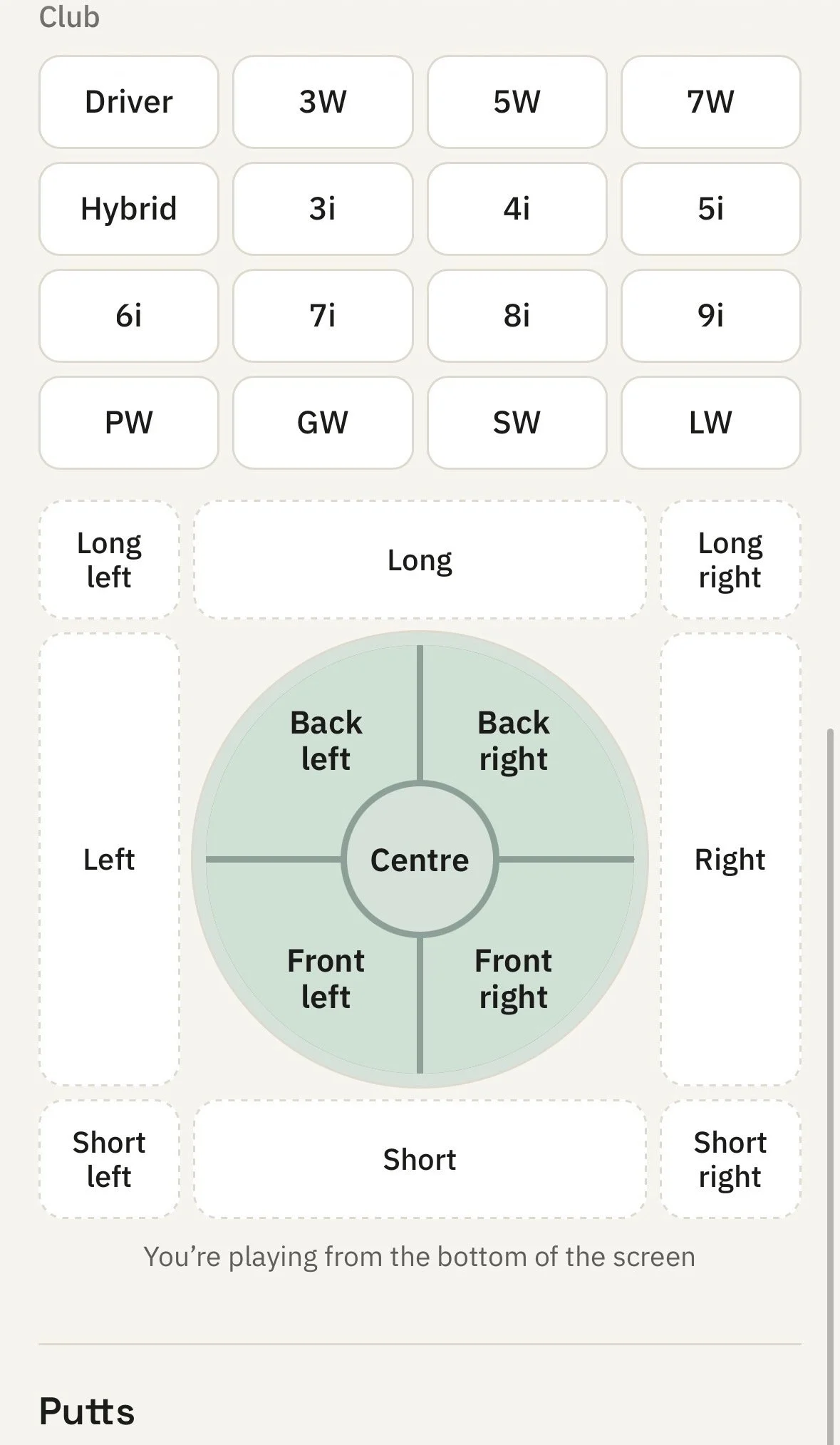
How I use your stats in lessons
Every lesson I give starts the same way: find the single biggest thing costing you shots. Launch monitor data tells me a lot about your swing, but it can't tell me what happens on the course. Your round stats fill that gap.
Say you come in wanting to fix your driver. If your stats show you're hitting plenty of fairways but losing shots around the green, we'll have a very different, and far more useful, conversation. Evidence first, opinions second.
Over time, your stats also show whether the changes we make are working where it counts. A better-looking swing is nice. Lower scores are the point.
Getting the most from it
Log every round, not just the good ones. Bad rounds often tell us the most.
Do it straight after you finish. Five minutes in the car park beats trying to remember on Tuesday.
Be honest. Nobody is judging the numbers. Rounding up only hides the thing we need to fix.
Give it a few rounds. One round is a snapshot; five or more start to show a real pattern.
Ready to start?
Add the app to your home screen, log your next round, and send it over. If you've got a lesson booked, bring your recent rounds along and we'll go through them together.
Not a client yet? Book a lesson through the Plymouth Golf Coaching website, or email me at josh@plymouthgolfcoaching.co.uk. Your stats will give us a head start from the first session.
